Five Below UX / UI
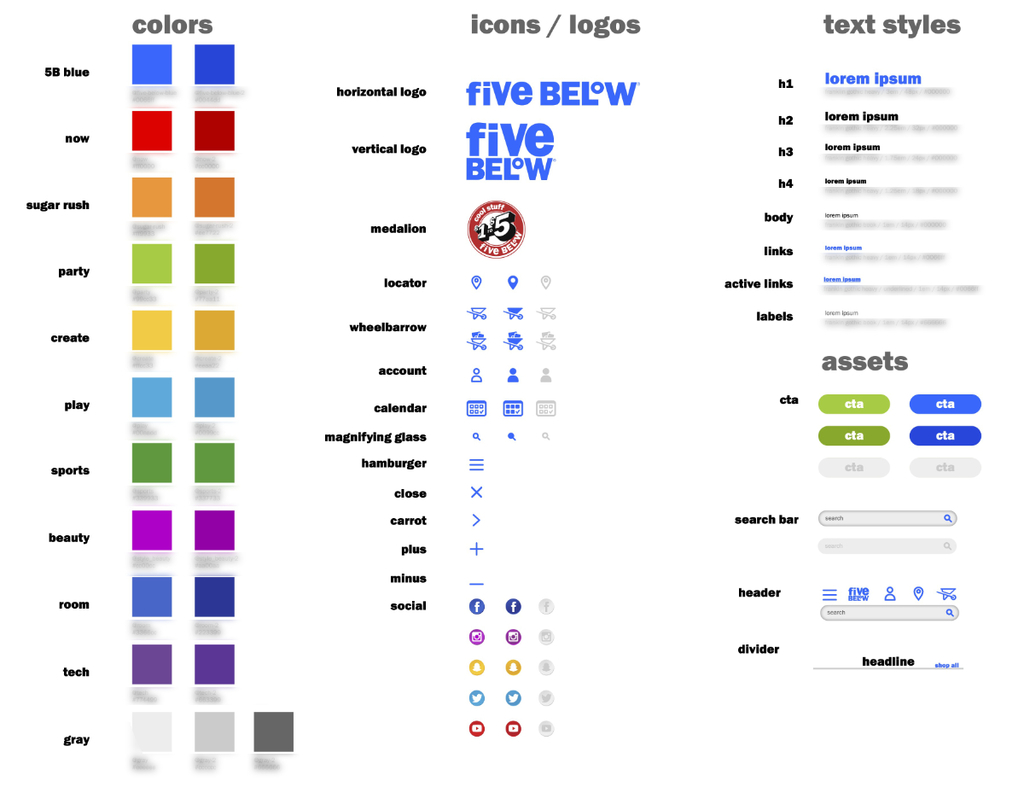
Increase consistency across all digital platforms by introducing a digital style guide for the first time that all designers could easily reference.
2 Developers
3 Senior Leaders
Digital never had a rulebook.
The problem
Five Below has struggled with consistency for years. Every season has a new set of campaign guidelines which force the designers to rethink their methods every time. Because of this, guidelines for digital designs did not exist. The brand existed in stores alone for so long that digital assets were always thought of as a side project. The print versions were simply translated into digital. This caused confusion and no foundation to build upon.
Goals
Allow digital to have its own place in the company. Giving solid guidelines solidifies digital as an important component in the company. This will also alleviate much of the stress put on the designers who scramble every season to start from scratch on how to create. Rules that are flexible enough to be expanded upon and be woven into the seasonal campaign process.
Print had a style guide. The website didn't.
We took a massive inventory on where we were when it came to a brand style guide. It was purely print focused with Pantone Colors at its core. The store signs were very well planned out with sizing and placement poured over for years. The digital components were never given this treatment. We discovered a real opportunity to define all aspects of the website.
Start with the smallest pieces.
Base elements
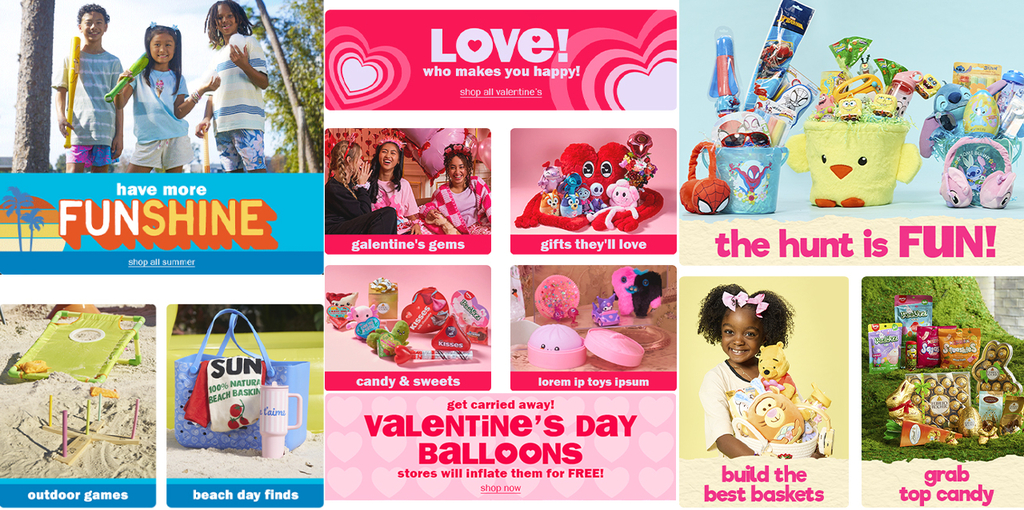
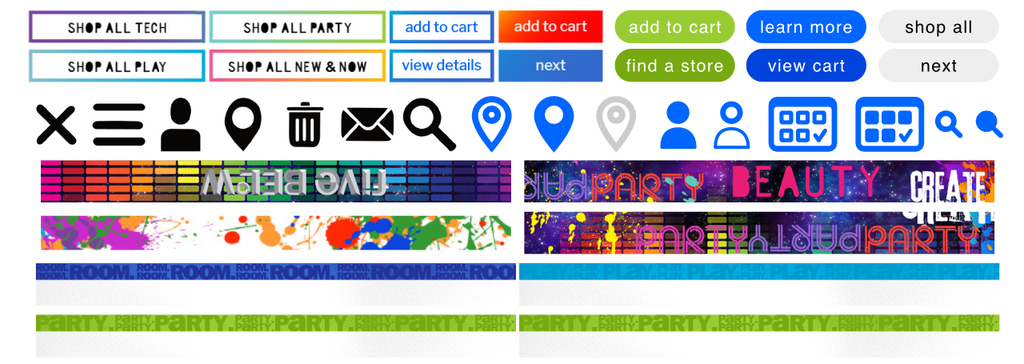
Starting at the smallest elements allows for building up to a larger component library. We threw out all kinds of ideas for CTA styles, icons, and brand voice banners that could pull what we called the Evergreen Campaign during any season.
Customer journey focus
The main steps of the customer journey run from a landing page, either the homepage or a featured shop, to the product listing page to explore the selection of products, onto the product detail page to see the details, and finally into the checkout flow to complete the transaction.
This journey can be very different based upon many factors: how the customer enters the site, whether they want to shop directly from the homepage, or whether they are simply looking for the store locator to shop in person.
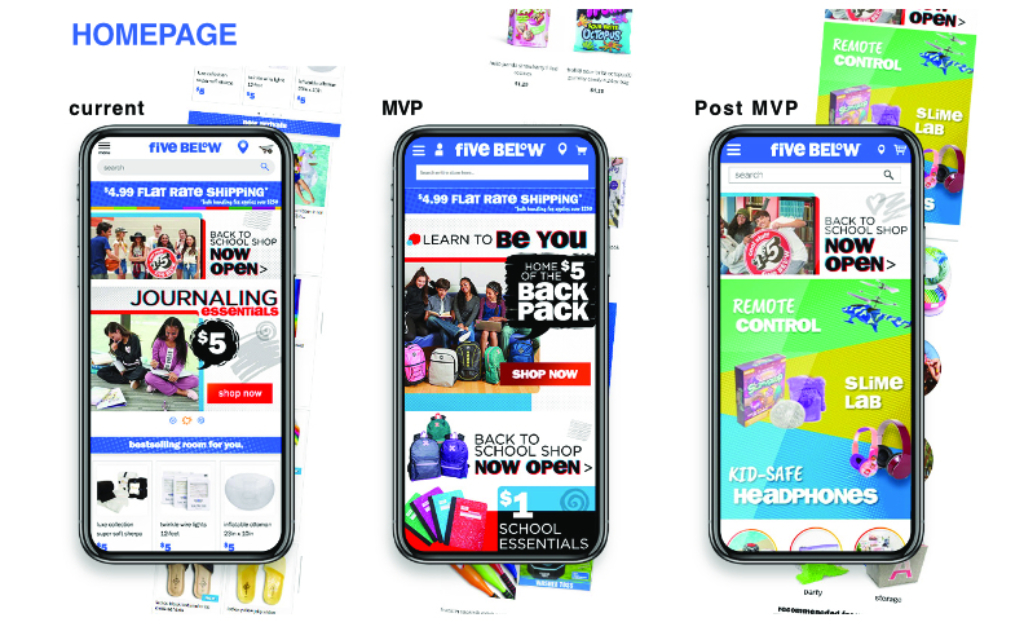
Current, MVP, and post-MVP for every page.
Homepage
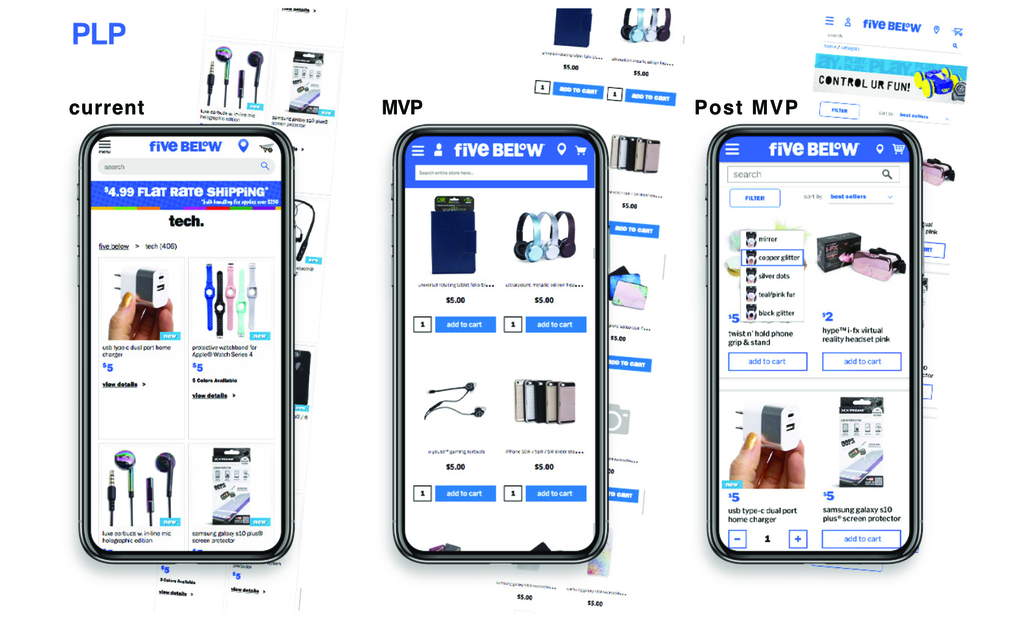
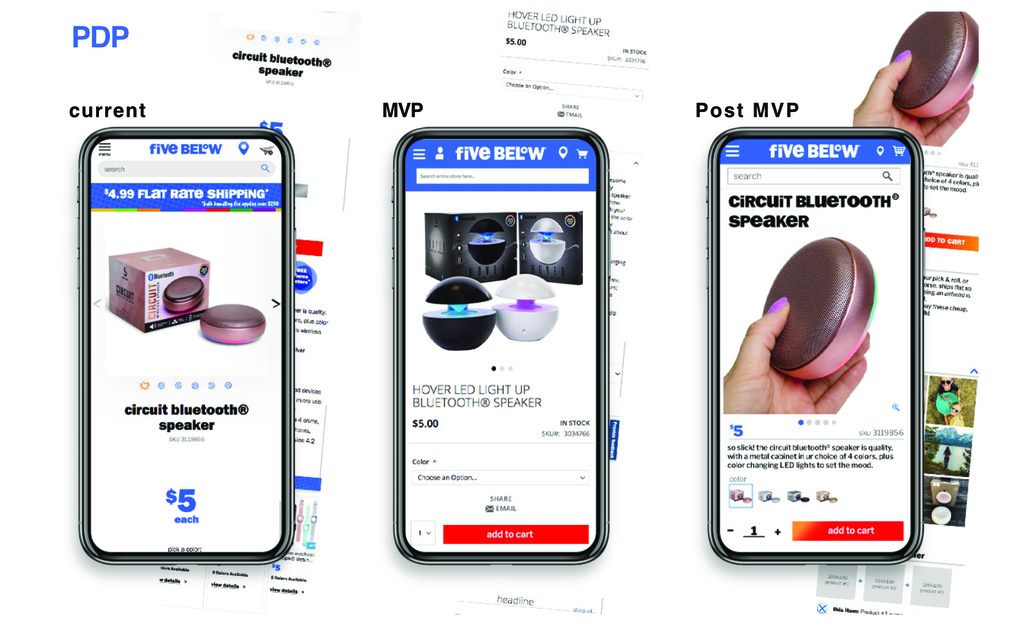
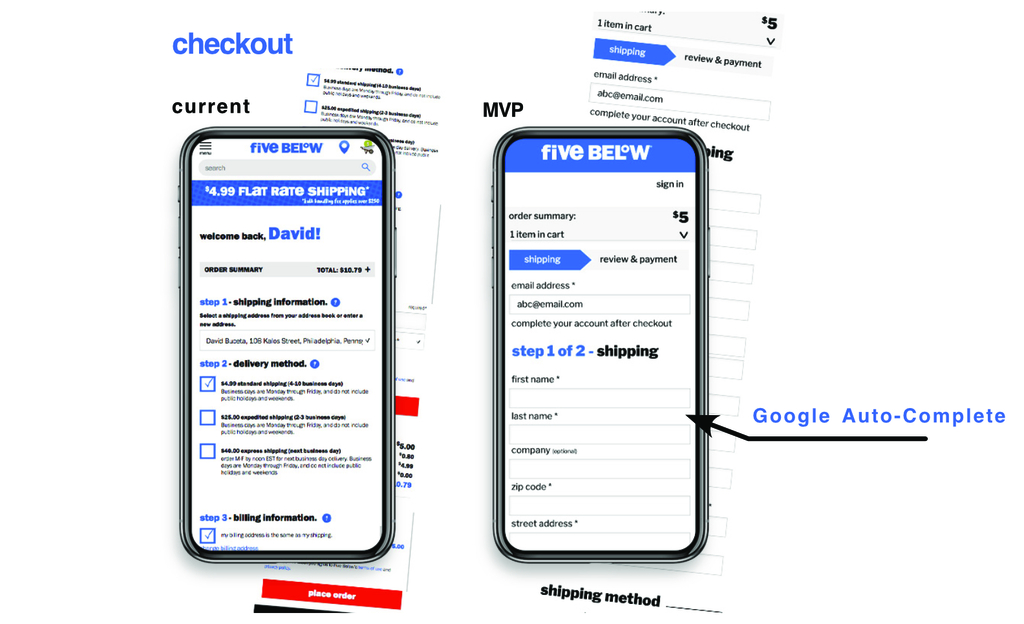
We built a roadmap for each page. Partnering with the Developers allowed us to pull our ideas into a roadmap of progressive improvements. This allowed for Senior Leaders to see the vision and have an understanding on how the project was progressing over time.
Product listing page
The PLP has complexity that the others do not. It must be dynamic in how the products are featured. Much of the customer's time can be spent here by sorting and filtering to discover the product they are looking for. Additional features could be introducing variant selection or add to cart directly without the need to navigate to the PDP.
Product detail page
This page has the least variability when compared to the others. A single product featured at the top with the option to add to cart. The difficulties come in when the choices are made to add variants, video demonstrations, social posts, reviews, and additional product suggestions. This page could be very robust as it is your last opportunity to convert a customer who needs more information before clicking the all important Add to Cart button.
Checkout flow
While the checkout flow is fairly straightforward, with a process walking the customer through the checkout, the details make a significant difference in the customer's trust in the company. That trust decides whether they are willing to continue with the process or back out because of a feeling of unease.
A site that feels polished and keeps customers coming back.
Let's make something good.
Open to senior digital and graphic design roles and projects. Email is the fastest way to reach me.